How do I install the eSponsor app?
Updated on
If you have an Android phone 📲
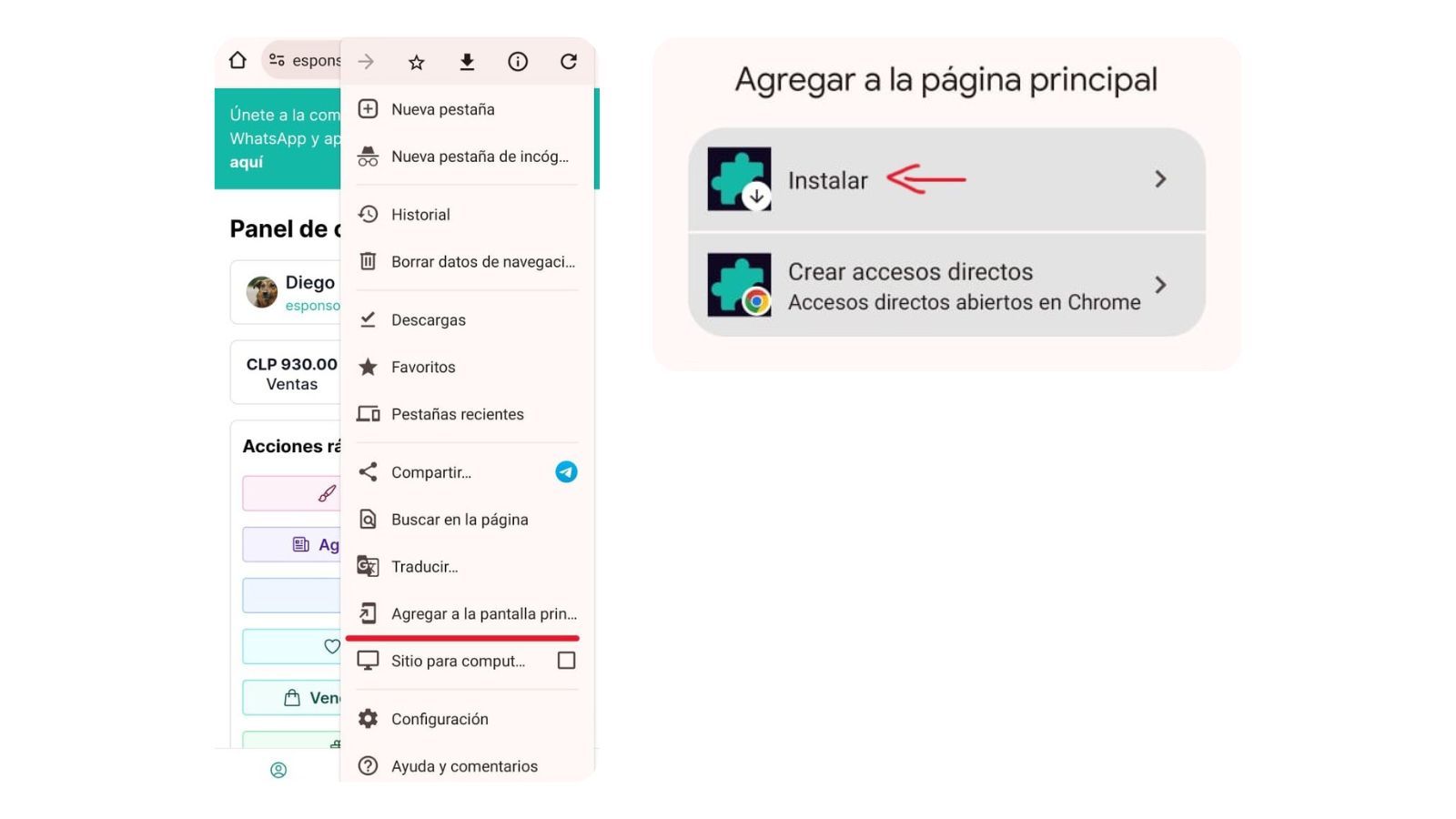
- Go to esponsor.com/dashboard from the Chrome browser.
- Tap the 3 dots in the top-right corner and look for the "Add to Home screen" option.
- You'll see the "Install" option. Tap it and you're done!
If you have an iPhone 📲
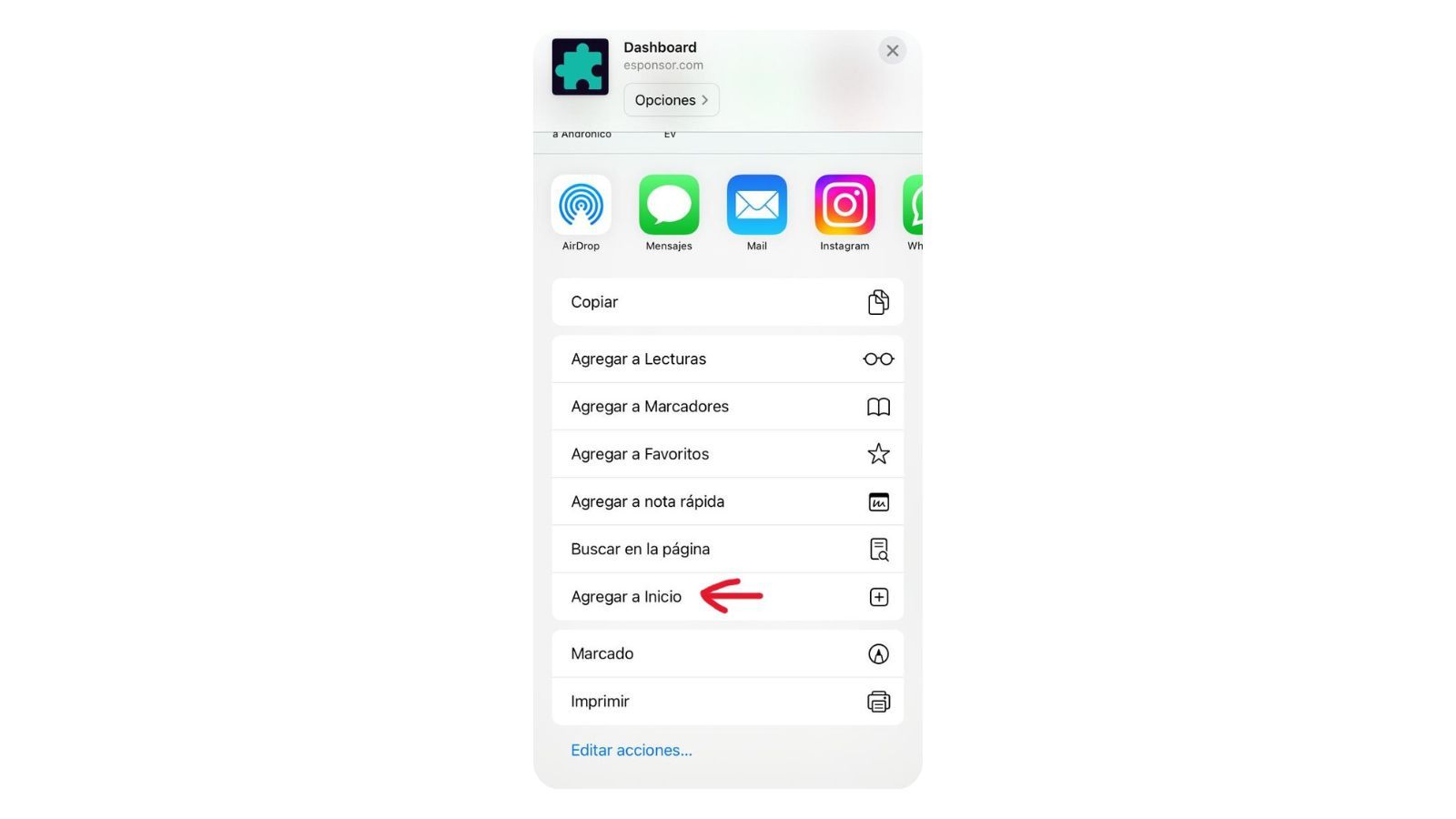
- Go to esponsor.com/dashboard from the Safari browser.
- Tap the share icon and look for the "Add to Home Screen" option.
- Add a name to identify the app and you can start using it.
Was this article helpful?
Your feedback helps us improve this guide.