How do I sell more with a free subscription?
Free subscriptions are now available! You can now create free content plans on eSponsor. These plans are designed to help you build a community without charging them. Below we'll tell you everything you need to know about free subscriptions.
How do I increase my income with a free subscription?
Free subscriptions are a touchpoint with your audience.
Communicating with your followers through social networks is difficult, since your visibility depends on the algorithm. If Instagram or TikTok don't show your posts to your followers, you can't reach them.
When they subscribe, your followers become sponsors and will be registered in your audience. That way, they'll receive alerts when you publish new content, products, wishes, and coupons. You can even send them emails!
Some ideas to help you sell more 👇
- A free sub with casual images you don't post on your social networks. Then offer your products or services through that sub.
- A free sub where you document a trip and a paid sub where you share private or unedited content from that trip.
- A free sub where you share samples of a service or client testimonials. In some posts, share coupons to hire your service.
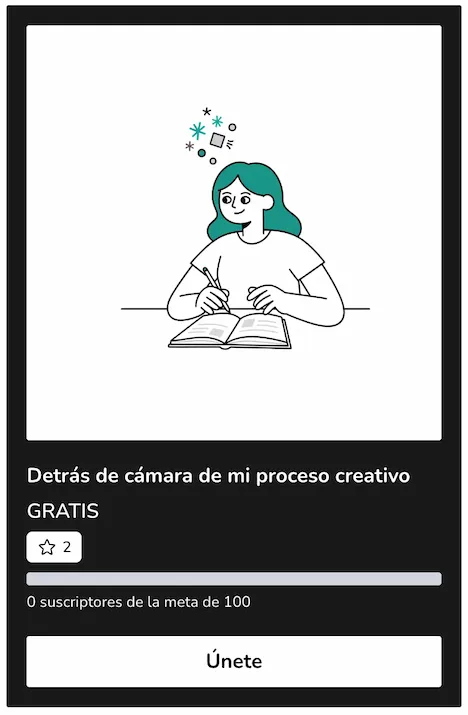
- A free sub where you share a behind-the-scenes look at your work as a content creator. Then offer a product that's the result of that process.
How do free subscriptions work?
Free subscriptions work exactly like other subscription plans on eSponsor, but they have no cost for your sponsors.
Your followers subscribe simply by entering their email and will have access to the content you share.
How do I set up a free subscription plan?
To set up a free subscription, follow the same steps as setting up a paid subscription:
- Go to Subscriptions: https://esponsor.com/memberships/tiers
- Click the Create plan button and select the plan type.
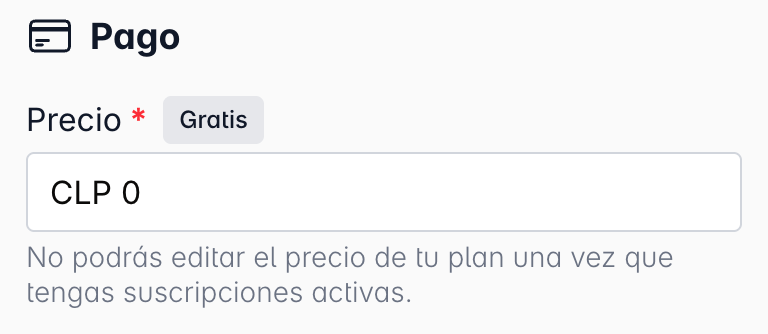
- Complete the form and when defining the price, enter "0" (zero).
- Remember to add rewards and a subscriber goal to encourage your followers to subscribe.
- Click Save at the bottom of the form to save your changes.
Your free subscription plan will be ready. Remember to share it on your social networks!
Was this article helpful?
Your feedback helps us improve this guide.