How do I add links to my page?
Updated on

How do I organize my links?
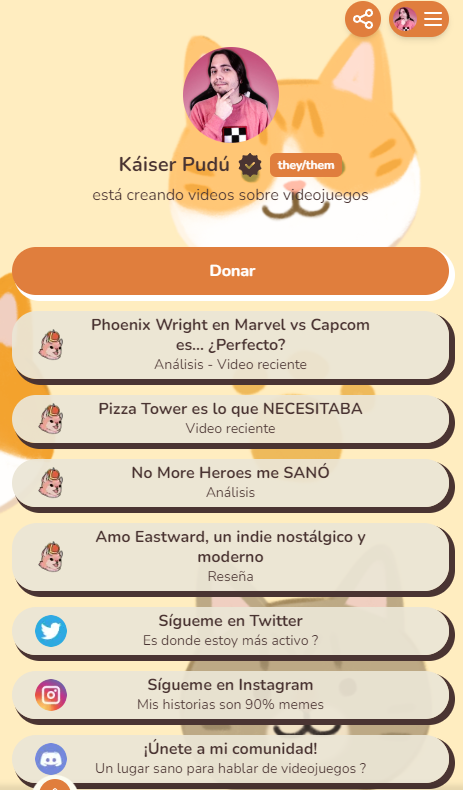
You can arrange all your links on a personalized profile. This is useful for taking your audience where you want and using your page as the hub for your social channels 🤓
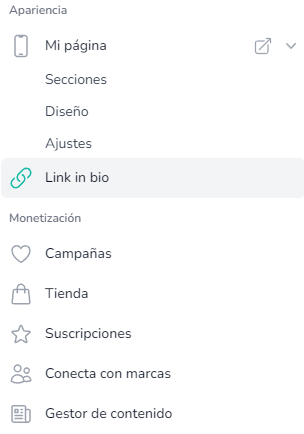
- Go to your creator dashboard and click "Link in Bio" (https://esponsor.com/page/links/groups). If you're on mobile, open the menu at the bottom right of the screen.
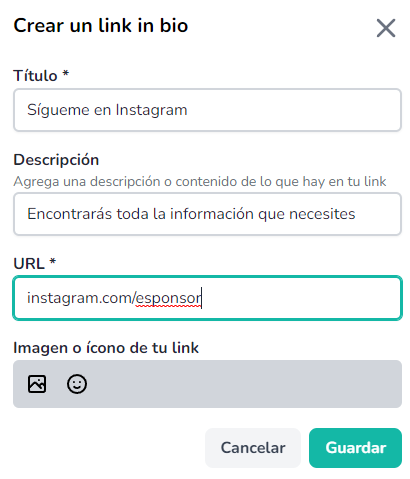
- Click "New link" and fill in the details. You can upload an icon to give it more personality 👆. Once you're done, click save and you're set.
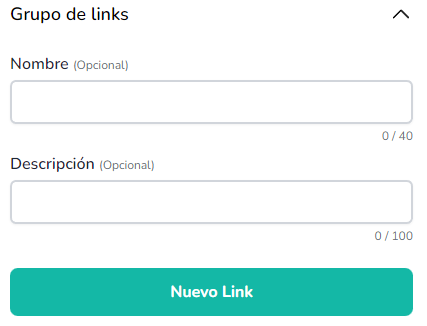
- If you have many links and want to organize them further, create a group. On the same tab where you created the link, you can name and describe the group, create it, and drag your links into it.
- Now that you've linked your links, the most important step: add your profile URL to your social bios. The URL is the link—in my case it would be esponsor.com/kaiserpudu; yours would be esponsor.com/yourusername
Was this article helpful?
Your feedback helps us improve this guide.